
Android Automotive is Google’s revolutionary in-car infotainment system, designed to enhance your driving experience. Unlike Android Auto, Android Automotive operates independently of your smartphone, offering a fully integrated solution right from your vehicle’s dashboard. This cutting-edge technology is currently available in some in-car infotainment systems.
Android Automotive comes with a user-friendly, template-based interface, similar to what you might find with CarPlay and Android Auto. This design ensures a consistent and intuitive user experience across different vehicles.

- Account: When first opening Pocket Casts, you will be prompted to log into your Pocket Casts account or create a new account. If you are not seeing the ‘Sign In’ button, try scrolling down the page.
- Podcasts: Enjoy your favorite podcasts directly through Android Automotive. While the system may not display whether an episode is archived, rest assured that played and archived statuses will sync with your account. If discrepancies arise, simply hit the “Refresh now” button via the Settings Page.

- Playlists: Tailor your entertainment experience with Playlists and Smart Playlists.
- Settings and Personalization: Dive into the settings to customize your Android Automotive experience further, ensuring it meets your unique preferences.
- Now Playing: Automatically appears when an episode is playing, providing quick access to the Now Playing screen with playback controls.
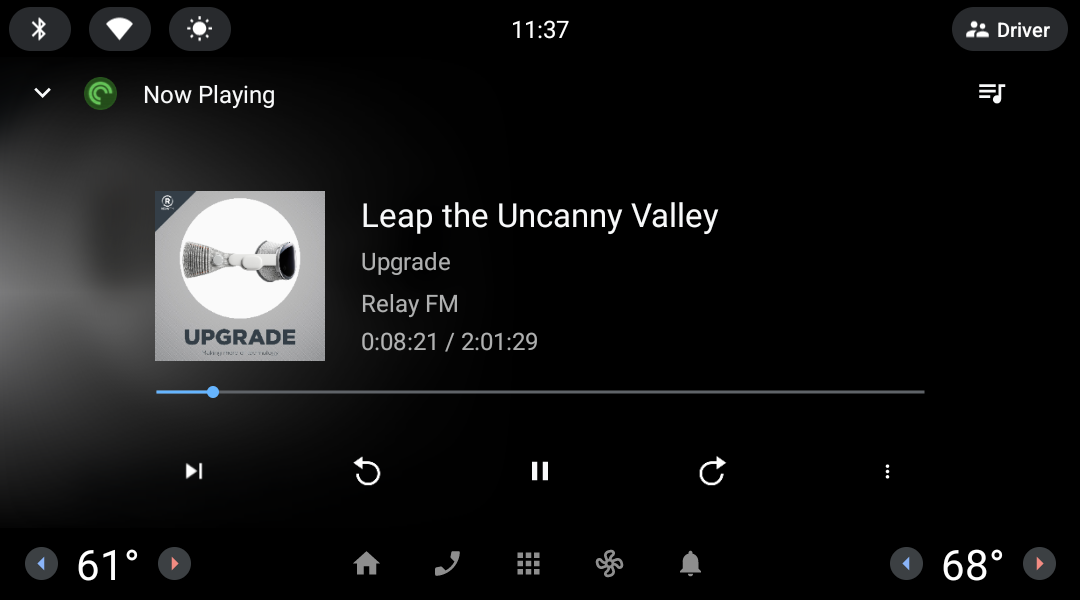
- Seamless Integration: Android Automotive provides a seamless, phone-free in-car entertainment experience.
- Content Synchronization: Keep your content in sync. If your played and archived episodes don’t match up with your account, use the “Refresh now” button for a quick fix.
Pocket Casts on Android Automotive offers a streamlined, intuitive interface that makes accessing and enjoying your media a breeze. Even though it doesn’t display archived episodes or include an “Up Next” queue, the system ensures your media is always in sync with your preferences. For a tailored experience, explore the settings and personalize your entertainment to suit your journey.
Despite the names being similar, they are different. Android Automotive is a standalone operating system designed for in-car infotainment systems, coming pre-installed in vehicles to offer a range of functionalities directly from the dashboard. In contrast, Android Auto requires connecting your smartphone to your car, leveraging its capabilities to enhance your vehicle’s infotainment system with additional features.
At this point in time, it is not possible to do so due to the limited UI offered by the operating system.
While Android Automotive doesn’t have an “Up Next” screen, you can sync the queue from your phone app. This means the next episode automatically plays after the current one finishes, ensuring a smooth listening journey.
- Tap the Settings cogwheel
- Scroll to the bottom of the page and tap “About”
- Scroll to the bottom of the page and tap “Help & Feedback”
- Tap the back arrow
- Tap “Logs”
To share logs with support you can take a screenshot, or transcribe the relevant segment of the debug log.
