
Pocket Casts downloads and streams content online so you will need an internet connection to use the service. You can, however, download episodes for offline playback.
On iOS and Android, you can download episodes for offline playback right within the Pocket Casts app:
The iOS and Android apps can also be configured to automatically download episodes.
Keep in mind, the Pocket Casts mobile app is unable to sync your playback history when used offline. The app should automatically sync when your device connects to a network again, but you can also trigger a sync manually by tapping on Refresh at the bottom of the Profile tab.
Pocket Casts also supports downloading show notes for offline access. When episodes are downloaded for offline playback, the associated episode descriptions are included in the download.
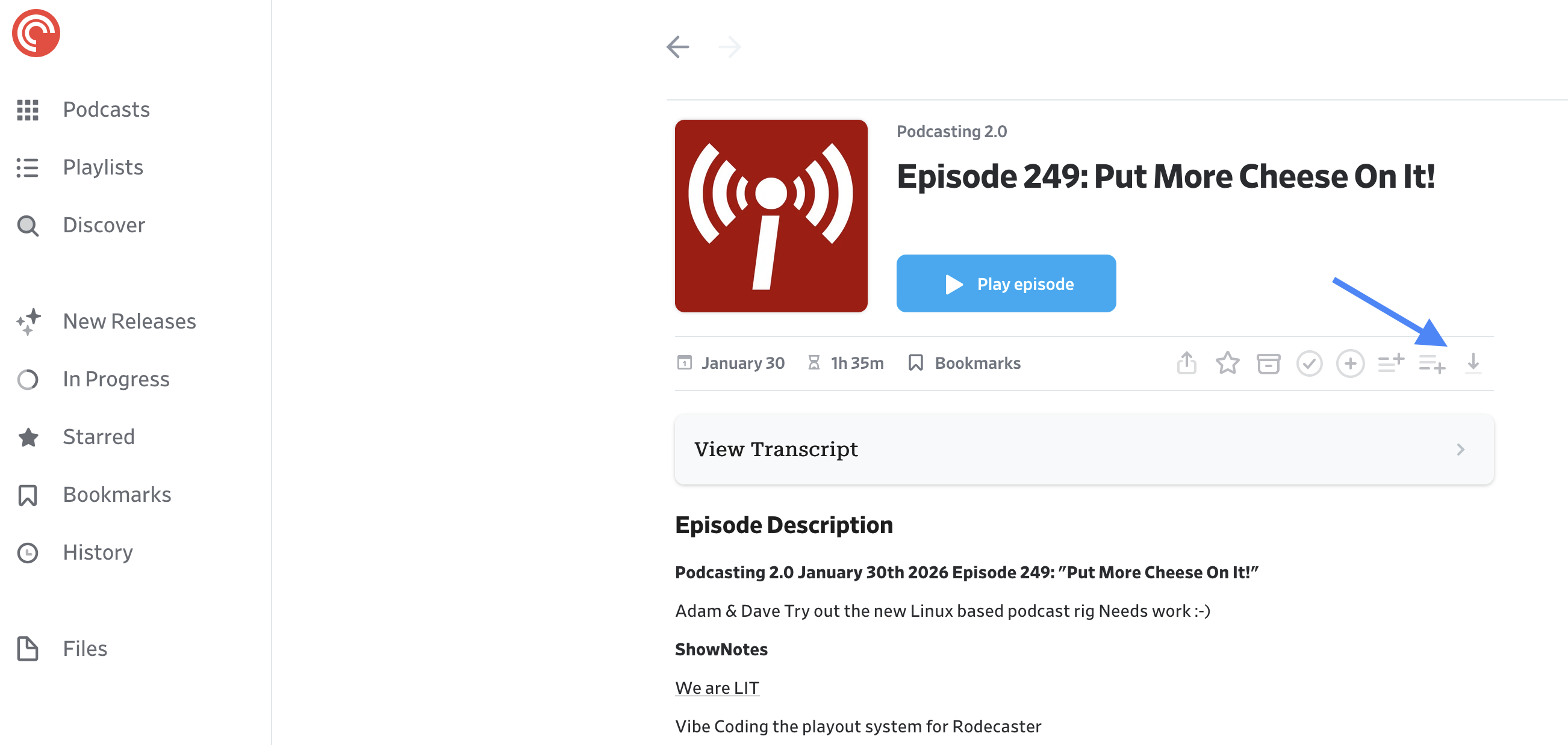
The Pocket Casts desktop app and web player streams episodes directly from podcast authors’ servers. Because of this, the app does require an active internet connection to use. You can, however, download episode files for offline playback using a separate media player application.
To download episode files, click on the episode within a list and click on the Download File button.
It’s worth noting, if you download episode files from the web/desktop app for playback in another media player, the playback status of that file won’t be automatically synced back to your Pocket Casts account — since it’s played in a separate player. You’ll want to manually mark the episode as played and/or archived in the Pocket Casts app.
