
As part of our Pocket Casts Plus and Patron subscriptions, we offer one free year of exclusive content from Slumber Studios. If you’ve redeemed this offer and would like to cancel the Slumber Studios subscription, you can follow the steps below:
- Use this link or visit https://slumber.supercast.com/ and click Log In.
- Enter the email address used to redeem the offer. You will receive a Supercast login code in your email, which you can use to access your account.
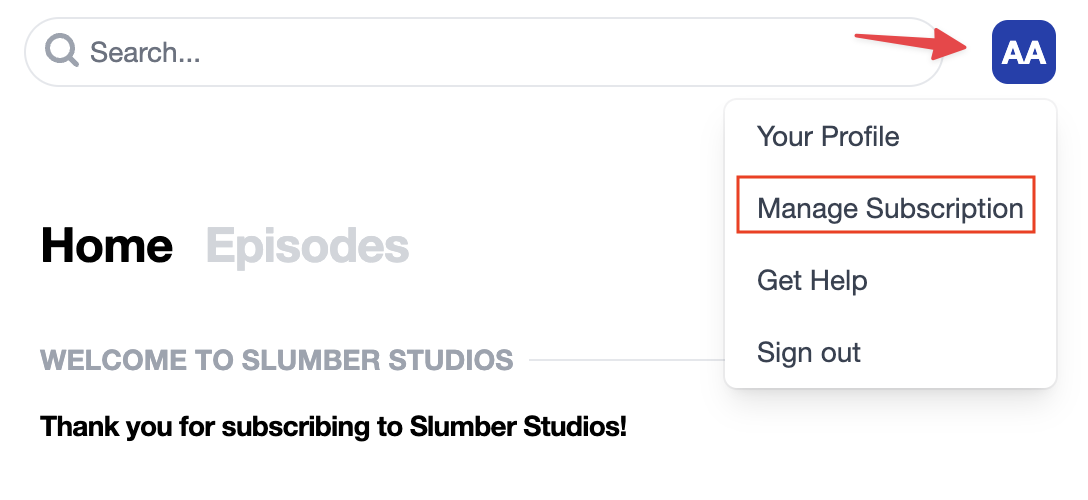
- Access Manage Subscription from under the Profile menu.
- Click on Manage Subscription and you will see the Cancel Subscription button.
Once the subscription is canceled, you’ll continue to receive Slumber Studios premium benefits for the remainder of the current period.
If you have any other questions about Slumber Studios, you can reach out through their Contact Us page.
If you need to activate or redeem the offer, please follow these steps: Redeeming a Slumber Studios Subscription.
