
Pocket Casts features a sleep timer that will automatically pause playback after the selected time period. The sleep timer is only available on the iOS and Android mobile apps. It is not available on the web player or desktop apps (Windows and macOS).
You can find this action in the player toolbar options which can be customized to include your four most used actions with the rest just a tap away.
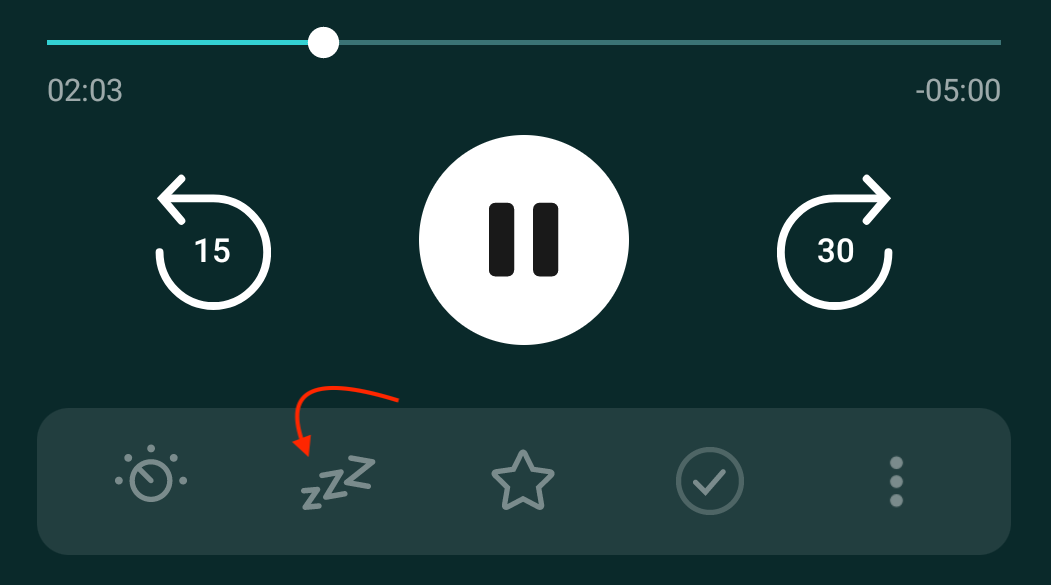
- Start playback of an episode
- Tap the mini player
- Select the sleep icon
- Choose from 15 minutes, 30 minutes, 1 hour, End Of Episode, or a custom duration.
You can tap on the End of Episode text to set the timer to end when the currently playing episode finishes or you can use the + and – buttons to the right to select how many podcast episodes you’d like to listen to before the timer pauses playback.
Similarly, the other Sleep Timer option with + and – buttons on the right can be adjusted to your preferred duration — the default duration is 5 minutes. You can tap on the text to start the timer. When you set a custom sleep timer duration with this method, that custom duration will be saved for future use.
On Android, we also offer sleep timer options based on a number of chapters. You can tap on the In 1 chapter text to set the timer to end when the currently playing chapter finishes. Or you can use the + and – buttons to the right to select how many chapters you’d like to listen to before the timer pauses playback.
- Tap on the sleep icon in the player toolbar
- Tap on the option to add 1 Minute (exclusive to Android, currently), add 5 minutes, or change to End Of Episode.
- Tap on the sleep icon in the player toolbar
- Select End Sleep Timer / Cancel timer
If you’d like the Sleep Timer to restart automatically after the timer has ended, you can enable or disable this option in the following location:
- Tap Profile
- Tap Settings
- Tap on General from the list
- Scroll down to find the “Auto Restart Sleep Timer” option
If on, the Sleep Timer will restart automatically if you play an episode within 5 minutes after the last pause.
For example, if you set a sleep timer for 10 minutes while listening to an episode, playback will stop after 10 minutes. If you start playing the episode again within 5 minutes, the sleep timer will reset, and the episode will play for another 10 minutes before stopping again.
If this feature is disabled, restarting playback after the timer ends will let the episode (and anything next in the queue) keep playing until you pause it yourself.
Pocket Casts offers the option to restart your Sleep Timer by shaking your device before the timer ends. This can be enabled or disabled in the following location:
- Tap Profile
- Tap Settings
- Tap on General from the list
- Scroll down to find the “Shake to restart Sleep Timer” option
