
Episode Sorting from an individual podcast page is one of the ways you can organize episodes within a podcast. It is available on the Android and iOS mobile apps, as well as the web and desktop apps.
With Episode Sorting, you can order episodes within a podcast page according to various options.
If you don’t choose a specific sorting method, episodes will be listed from newest to oldest by default.
There is no way to set a sorting method globally for all podcasts. Sort order needs to be set individually per podcast from the podcast page.
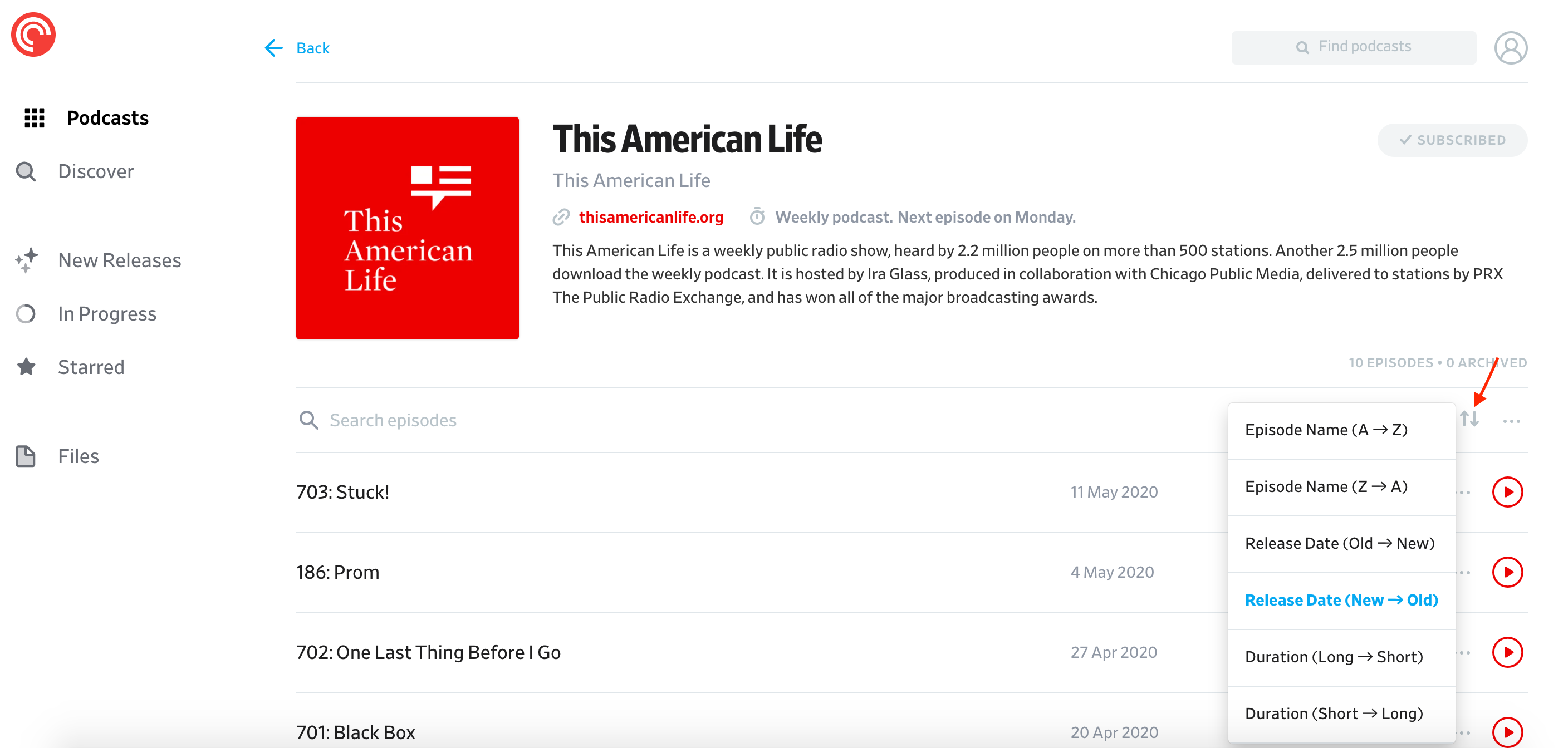
To sort your episodes in a podcast page when using the web and desktop apps, please follow these steps:
- Click “Podcasts.”
- Click the podcast you wish to organize.
- On the podcast page, click the “Sort By” ↓↑ icon, which looks like a down arrow and an up arrow side by side.
- Select one of the following sorting options:
- Episode Name (A → Z)
- Episode Name (Z → A)
- Release Date (Old → New )
- Release Date (New → Old)
- Duration (Long → Short)
- Duration (Short → Long)
- Your selected sorting option will be applied to the podcast.
To sort episodes in a podcast page on Android and iOS mobile apps, please follow these steps:
- Tap “Podcasts.”
- Tap on the podcast you wish to organize.
- On the podcast’s page, tap the three-dot icon next to the search bar.
- Tap “Sort Episodes.”
- Select one of the following sorting options:
- Title (A-Z)
- Title (Z-A)
- Oldest to Newest
- Newest to Oldest
- Shortest to Longest
- Longest to Shortest
- Serial
- Your selected sorting order will be applied to the podcast.
You can sort episodes in other areas of the app including Smart Playlists and Up Next. Follow the steps in the guides linked below:
