
You can play podcast episodes from Pocket Casts on your headset, TV, or speakers using Bluetooth, Chromecast, Chromecast Audio, and any other Google Cast enabled devices. Additionally Pocket Casts also supports some smart speaker systems — currently Alexa and Sonos. If you have an Apple TV, or a Google TV or Android TV device, you can also play podcasts directly with the native Pocket Casts app for your TV.
See this article for more information about how to set up the Amazon Alexa integration.
If you have an Apple TV, the easiest way to play your podcasts on the big screen is the native Pocket Casts for Apple TV app — you can play your followed podcasts, playlists, and Up Next queue directly on your TV without casting or AirPlaying from another device. Your library and listening progress stay in sync with your other devices.
See Pocket Casts for Apple TV for how to install the app and get set up.
If you have a Google TV or Android TV device, the easiest way to play your podcasts on the big screen is the native Pocket Casts for Android TV app — you can play your followed podcasts, playlists, and Up Next queue directly on your TV without casting from another device. Your library and listening progress stay in sync with your other devices.
The app requires Android 9 or later and runs on devices such as the Google TV Streamer, Chromecast with Google TV, Nvidia Shield, and Android TV boxes. See Pocket Casts for Android TV & Google TV for how to install the app and get set up.
- Open the Settings app on your device
- Tap Bluetooth
- Pair with your chosen Bluetooth device
- Open Pocket Casts and tap Play on any episode
- Set up your casting device and join your local WiFi network
- Make sure your mobile device running Pocket Casts is on the same WiFi network
- Tap the Google Cast button in Pocket Casts to connect
- Tap Play on any episode in Pocket Casts
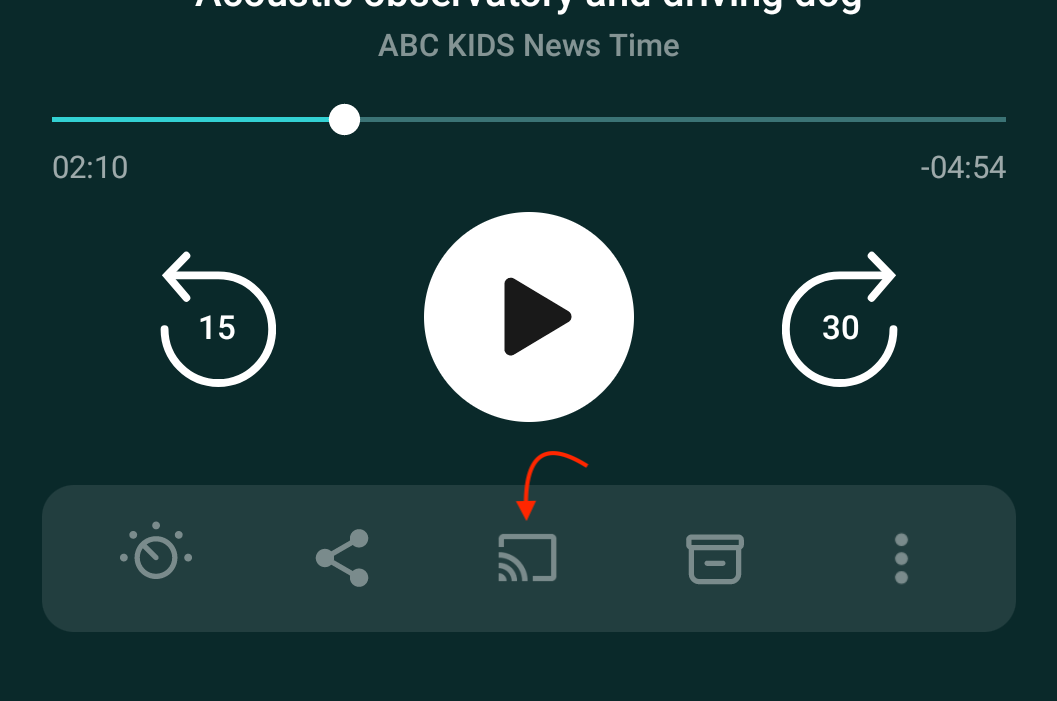
In the player, you can access the Cast button via the player toolbar’s 3 dot menu, or as this toolbar is customizable, you can move the Cast button into the player if you wish.
- Setup your AirPlay device and join your local WiFi network
- Make sure your iPhone or iPad is on the same WiFi network
- Open Pocket Casts player and tap the Output Device / Airplay button to connect
- Tap play in Pocket Casts
The AirPlay button can be found in the player, or as this toolbar is customisable, you can move the airplay button into the menu if you wish.
To play episodes on Sonos devices, please refer to the Sonos Integration guide.
